
Free Typing Games for Kids
Kids blast off from the home row to full sentences with 60 bite-size lessons, satisfying sounds, stars and badges. Grown-ups get a simple dashboard that shows real progress.
- ✅ 60 lessons
- 📚 3 story books
- 🎮 Mini games
- 🏅 24 badges
- 🔒 No child emails, ever

Hi, I'm Rocky! 👋 I'll fly with you from the home row to the stars.
Every key shows which finger to use
Why kids (and parents) love TypeRockets
Finger-by-finger guidance
A color-coded keyboard lights up the next key and the right finger, so kids build true touch typing from day one.
Satisfying sounds
Soft clicks, gentle bumps for mistakes, chimes for finished lessons and a fanfare for every badge. One tap to mute.
Stars, badges and streaks
Earn up to 3 stars per lesson, unlock 24 badges and keep a daily streak going. Confetti included.
A real curriculum
Keys are introduced two at a time and practiced on top of everything before. 90% accuracy unlocks the next lesson.
Parent dashboard
See WPM and accuracy over time, tricky keys, practice minutes and badges for every child on the device.
Private by design
No ads and no emails from kids. On the free plan nothing is sent to a server, and progress stays in your browser.
The mission map: 11 units, 60 typing lessons
From the home row launchpad to full stories. Each lesson takes 1–3 minutes.
Home Row Launchpad
Lessons 1–7: Meet F and J, Add D and K, Add S and L…
Top Row Takeoff
Lessons 8–14: Reach Up to E and I, Reach Up to R and U, Stretch to T and Y…
Bottom Row Blast
Lessons 15–21: Reach Down to V and M, Reach Down to C and ,, Reach Down to X and .…
Capital Comets
Lessons 22–24: Right Shift Capitals, Left Shift Capitals, Names and Places
Number Nebula
Lessons 25–27: Numbers 1 to 5, Numbers 6 to 0, Numbers in Sentences
Punctuation Planet
Lessons 28–30: Periods and Question Marks, Exclamation Marks and Apostrophes, Commas and Quotes
Word Galaxy
Lessons 31–36: Most Common Words, Short Sentences, Silly Sentences…
Combo Constellation
Lessons 37–41: TH, SH and CH, WH, CK and QU, Endings: ING, ED, ER, LY…
Symbol Station
Lessons 42–49: Colons and Semicolons, Hyphens and Slashes, Parentheses ( )…
Paragraph Moonbase
Lessons 50–55: My First Paragraph, Ocean Paragraph, How-To Paragraph…
Ten-Key Tower
Lessons 56–60: Number Pad Home: 4 5 6, Number Pad Up: 7 8 9, Number Pad Down: 1 2 3 and 0…
See all lessons
The full curriculum with what each lesson teaches.
Typing games that build real skills
Falling Words
Type each word before it lands. Three levels, from home row to big words.
Beat the Clock
Every word you finish adds a second. How long can you keep going?
Kids Typing Test
A 1- or 2-minute speed test with a printable certificate.
📚 Typing story books
Type your way through illustrated stories, one page at a time.
 A TypeRockets typing storyRocky's First LaunchAges 6–7Rocky's First LaunchAges 6–7 · 5 chapters · Home-row friendly: short words, periods only
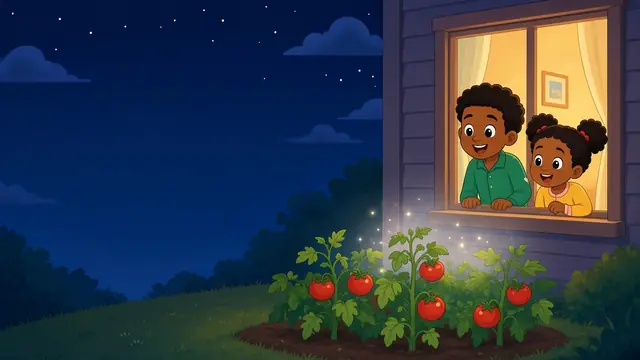 A TypeRockets typing storyThe Lost Moon PupAges 8–9The Lost Moon PupAges 8–9 · 5 chapters · Capitals, commas and question marks
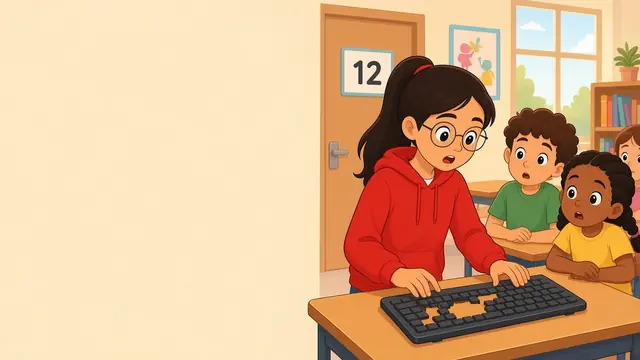 A TypeRockets typing storyMystery of the Missing KeysAges 10–11Mystery of the Missing KeysAges 10–11 · 5 chapters · Full punctuation, numbers and longer pages
Typing games by grade
Kindergarten · 1st Grade · 2nd Grade · 3rd Grade · 4th Grade · 5th Grade · 6th Grade
How it works for parents
1. Add your kid
Pick a nickname and an avatar. Add as many kids as you like.
2. Play 10 minutes
Kids follow the mission map one lesson at a time.
3. Check progress
The Parent Dashboard shows speed, accuracy and tricky keys.
Typing games FAQ
Are TypeRockets typing games really free?
Yes. Every lesson and game is free to play with no account, plus 3 typing tests a day with certificates. Optional Pro plans add sync for up to 5 kids, bonus games and unlimited tests for families, and class rosters with reports for teachers.
What age are these typing games for?
TypeRockets is designed for kids ages 6 to 11 (kindergarten through 6th grade), but beginners of any age can learn with it.
Do kids need to make an account?
No. Kids pick a nickname and an avatar. Progress is saved only in your browser on this device, and we never collect children's personal information.
Can my child play on a tablet or phone?
Typing practice needs a real keyboard, so a laptop, desktop, Chromebook or tablet with a keyboard works best. Parents can view the dashboard on any device.
How long should kids practice typing each day?
Five to fifteen minutes a day, a few days a week, is plenty. Short, regular practice builds muscle memory faster than long sessions.